
Online Android games are popular because they offer entertainment, competition, and quick access to exciting activities without requiring a computer or gaming console. However, many users notice that their phone's battery percentage drops faster when they play games online. This raises an important question: do online Android games drain phone battery, and why does it happen?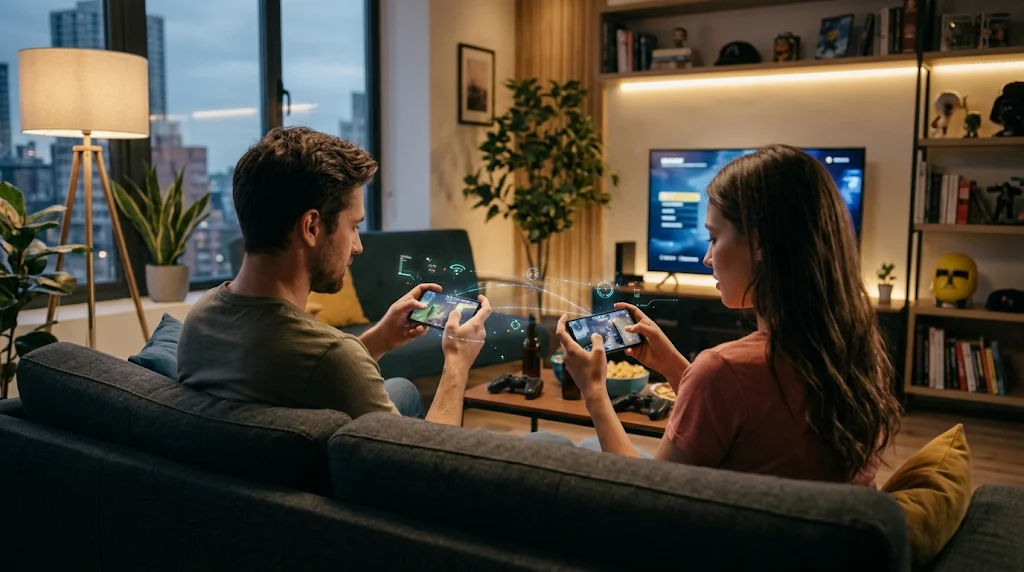
The answer is yes. Online Android games can consume significant battery power because they use several phone components simultaneously, including the processor, graphics system, internet connection, display, and sometimes speakers. When these components work continuously, the phone uses more energy than it would during ordinary activities such as reading messages or browsing simple websites.
Understanding how gaming affects battery life can help users make better decisions about their phone settings, gaming sessions, and everyday device usage. Platforms such as open88.bet are also part of the broader online gaming environment, where users may access games through mobile browsers and expect their devices to remain responsive.
This comprehensive guide explains why online Android games consume battery power, which factors influence energy usage, how different types of games affect battery performance, and what users can do to make their phones last longer.
Why Online Android Games Consume Battery Power
Android games require more resources than many ordinary mobile activities. Even a relatively simple game may need to process animations, respond to user inputs, maintain internet connectivity, and display constantly changing graphics.
When several hardware components remain active at the same time, the battery supplies energy continuously. The amount consumed depends on the game's design, the phone's hardware, and the player's settings.
Processor Activity
The processor, also known as the CPU, handles many of the calculations needed to run a game. It processes game rules, user actions, background tasks, menus, and other instructions.
Online games often require frequent calculations to maintain smooth gameplay. When the processor works harder, it consumes more power and produces additional heat.
A lightweight game may use relatively little processing power, while a complicated game with many animations, effects, and simultaneous activities can place a much heavier workload on the CPU.
Graphics Processing
The graphics processing unit, or GPU, creates the images displayed on the screen. It handles visual effects, movement, animations, textures, and other graphical elements.
Games with detailed environments, colorful animations, and frequent visual changes can require more GPU activity. This is one reason visually demanding games often consume battery more quickly than basic browser games.
Even when a game looks simple, frequent screen updates and animations may still require continuous graphics processing.
How Internet Connectivity Affects Battery Life
Online Android games depend on internet connectivity to communicate with servers, synchronize information, receive updates, and maintain gameplay.
OPEN88 phone's Wi-Fi or mobile data hardware remains active while the game communicates with remote servers. Depending on the game, these communications may occur frequently.
Wi-Fi and Mobile Data Consumption
Wi-Fi generally offers an efficient way to connect to online games when the signal is stable. However, the phone still needs to maintain its wireless connection and exchange data.
Mobile data can also use additional energy, particularly when the signal is weak or the phone must repeatedly search for a reliable connection.
When network conditions are poor, the phone may work harder to maintain communication. This can increase battery consumption and sometimes cause noticeable delays during gameplay.
Constant Server Communication
Many online games exchange small amounts of information repeatedly rather than downloading everything at once.
For example, a game may send user inputs, receive updated game states, synchronize progress, or communicate with other players. These activities can continue throughout a gaming session.
A stable internet connection can reduce unnecessary connection interruptions and improve responsiveness, although the actual battery impact depends on the game's network design.
Does Screen Brightness Make Gaming More Battery Intensive?
Yes. The display is one of the most important factors affecting battery consumption during mobile gaming.
Players often increase brightness to see game details clearly, especially outdoors or in brightly lit rooms. However, higher brightness usually requires more energy from the display.
High Brightness Settings
When brightness is set close to maximum, the screen may consume considerably more power than it does at moderate levels.
A large, bright display can be particularly demanding during long gaming sessions. The effect varies according to screen technology, display size, brightness settings, and the phone's efficiency.
Reducing brightness to a comfortable level can help lower battery consumption without changing the game itself.
Screen Refresh Rate
Modern Android phones may support refresh rates of 90Hz, 120Hz, or higher.
A higher refresh rate allows the screen to display more frequent updates, making movement and animations appear smoother. However, it may also increase energy consumption because the display and graphics system can perform more work.
Some games benefit noticeably from higher refresh rates, while others do not require them.
If a game runs comfortably at a standard refresh rate, lowering the phone's refresh-rate setting may help extend battery life.
Do Browser-Based Online Games Drain Battery?
Browser-based games can also consume battery power, even though users do not need to install a dedicated application.
These games run inside a mobile browser, which uses the phone's processor, graphics system, internet connection, and display to provide the gaming experience.
Browser Processing
A browser must load the game, process its scripts, display graphics, and respond to user interactions.
Some browser games are lightweight and require little processing. Others contain complex animations, interactive features, and continuously changing visual elements.
The browser itself also uses resources to manage tabs, page content, and other processes. If several tabs remain open, additional activity may contribute to battery usage.
Background Browser Activity
Leaving multiple browser tabs open may use memory and occasionally involve background activity.
Modern Android phones manage background processes intelligently, but keeping unnecessary tabs and applications open can still contribute to resource usage in some situations.
Closing tabs that are no longer needed can help keep browser activity organized and may improve responsiveness.
Which Online Games Consume More Battery?
Not every online Android game affects battery life equally. The amount of power required depends on the game's complexity, graphics, network activity, and how efficiently it is designed.
Graphics-intensive games
Games featuring detailed environments, advanced effects, and rapid movement often require more GPU and CPU activity.
Casual puzzle games
Basic puzzle games may consume less energy when they use simple graphics and limited animations.
Multiplayer games
Frequent server communication, matchmaking, and synchronized gameplay can increase resource usage.
Card and board games
Many card and board games have relatively simple graphics and may use fewer resources, depending on their features.
Simple games are not automatically battery-friendly, and demanding games are not always inefficient. A well-optimized game can use resources more effectively than a poorly designed game with basic graphics.
Why Older Android Phones Lose Battery Faster
Older Android phones may experience faster battery drain during online gaming because their hardware and batteries are less efficient than those of newer devices.
Battery Aging
Lithium-ion batteries gradually lose their ability to store energy as they age. A phone that once supported several hours of gaming may provide noticeably less time after years of regular use.
This happens because battery capacity naturally declines over repeated charging cycles and through aging.
When an older battery has less usable capacity, the same game session represents a larger portion of its available energy.
Less Efficient Hardware
Older processors may require more power to complete certain tasks than newer, more efficient chips.
They may also struggle to maintain smooth gameplay, especially when a game is designed for more recent hardware. Increased workload, heat, and performance limitations can affect the overall experience.
Limited Cooling
Phones have relatively little space for cooling. When a game creates sustained processor and graphics activity, the device can become warm.
Older phones may have less effective thermal performance or may be more affected by accumulated wear. Excessive heat can cause the phone to reduce performance automatically, sometimes resulting in slower gameplay.
Does Playing Online Games While Charging Affect Battery Health?
Playing while charging can increase heat, particularly when the game requires significant processor or graphics activity.
Charging generates heat, and gaming also generates heat. When both activities happen together, the phone may become warmer than it would during ordinary charging or light use.
Modern Android phones have charging and temperature management systems designed to protect the device. Nevertheless, consistently exposing a phone to excessive heat is not ideal for long-term battery health.
Why Heat Matters
Heat is one of the major factors associated with lithium-ion battery aging.
If a phone becomes noticeably hot during gaming, it is sensible to pause the game, disconnect charging if appropriate, and allow the device to cool naturally.
Avoid placing a hot phone under pillows, inside enclosed spaces, or in direct sunlight. Using it in a cool, ventilated environment can help maintain more comfortable operating temperatures.
How to Reduce Battery Drain While Playing Online Games
Users do not necessarily need to stop playing games to improve battery performance. A few practical adjustments may reduce unnecessary energy consumption.
Lower Screen Brightness
Reducing brightness is one of the easiest changes to make.
Instead of keeping the screen at maximum brightness, choose a comfortable setting suitable for the surrounding environment. Automatic brightness may also help adjust the display when lighting conditions change.
Use a Stable Internet Connection
A reliable Wi-Fi connection may help reduce repeated network searching and connection interruptions.
When mobile data is necessary, playing in an area with a stronger signal can improve connectivity. Weak signals may cause communication problems and sometimes increase power consumption.
Reduce Graphics Settings
If the game provides graphics options, consider lowering visual effects, shadows, animation quality, or resolution.
These adjustments may reduce the workload on the graphics processor and help the phone maintain a more stable performance level.
Lower the Refresh Rate
If the phone supports a high refresh rate, switching to a standard setting may reduce the display's energy requirements.
This is particularly useful when the game does not need very smooth animation to remain enjoyable.
Close Unnecessary Applications
Background applications may use resources for notifications, synchronization, location services, or other activities.
Closing applications that are not needed can reduce competing activity. Android also manages many background processes automatically, so there is no need to repeatedly force-close every application.
Keep the Phone Updated
Android updates and game updates sometimes include performance improvements, bug fixes, and better resource management.
Keeping software reasonably up to date may help reduce unnecessary processing caused by software problems, although updates do not guarantee improved battery life.
How to Check Which Games Use the Most Battery
Android provides built-in battery information that can help users understand where their energy is going.
The exact menu names vary between phone manufacturers, but the general process is similar.
-
Open your phone's Settings.
-
Find the Battery or Battery and device care section.
-
Open battery usage or battery activity.
-
Review the applications listed.
-
Check how much battery your game has used over the displayed period.
This information can help you identify whether a particular game is responsible for unusually high battery consumption.
Remember that battery percentages are influenced by the time an application is used. A game that consumes a large percentage may simply have been played longer than other applications.
It is more useful to consider battery usage alongside your playing time, phone temperature, screen brightness, and overall battery condition.
Does Online Gaming Drain Battery More Than Offline Gaming?
Online gaming can consume more battery than offline gaming in some situations because it requires network communication in addition to processing and displaying game content.
However, the difference is not always substantial.
An offline game with advanced graphics and complicated animations may use more energy than a simple online card game.
Online games may use additional energy for server communication, multiplayer synchronization, and maintaining network connections. Offline games can avoid much of this network activity, but they still require the processor, graphics hardware, and display.
Therefore, the game's overall design is often more important than whether it requires an internet connection.
How Long Can You Play Before Your Battery Runs Low?
There is no universal gaming time that applies to every Android phone.
A device with a large battery and efficient hardware may support longer gaming sessions than an older phone with reduced battery capacity.
Battery consumption can also change according to:
-
Screen brightness and refresh rate
-
Game graphics and processing requirements
-
Wi-Fi or mobile data signal strength
-
Phone temperature
-
Battery age and condition
-
Background applications
-
Game optimization
For example, a lightweight browser game played with moderate brightness may use relatively little energy compared with a visually demanding game running at a high refresh rate.
The most reliable way to estimate gaming time is to observe your own phone's battery usage during ordinary sessions rather than relying on a universal number.
Common Myths About Online Android Game Battery Drain
There are several misunderstandings about mobile gaming and battery consumption.
All Online Games Drain Battery Equally
This is incorrect. Different games have different graphics, processing requirements, networking systems, and optimization methods.
A simple game may use fewer resources than a complex game, even when both require internet access.
Closing Every Background App Always Saves Battery
Force-closing every application does not necessarily improve battery life.
Android is designed to manage memory and background activity. Reopening applications repeatedly may sometimes require additional resources.
It is more useful to close unnecessary applications that are actively consuming power than to constantly clear everything from memory.
Battery Drain Means the Phone Is Damaged
Fast battery consumption during gaming does not automatically indicate a faulty phone.
Gaming naturally increases power demand. However, unusually rapid battery loss during light activities, unexpected shutdowns, or persistent overheating may indicate a battery or software issue worth checking.
Charging During Gaming Is Always Harmful
Charging during gaming does not automatically damage a phone. Modern devices include systems designed to manage charging and temperature.
However, prolonged gaming while charging can increase heat. Avoiding excessive temperatures is more important than treating every gaming-and-charging session as harmful.
Conclusion
Online Android games can drain phone batteries because they require several hardware components to work simultaneously. The processor handles game calculations, the GPU creates graphics, the display remains active, and the internet connection supports communication with remote servers. Together, these activities can consume more energy than ordinary phone usage.
Battery consumption depends on the type of game, graphics quality, brightness, network stability, phone age, and hardware efficiency. Lightweight browser games may use relatively little power, while visually demanding games can place a heavier workload on the device.
Users can improve battery performance by lowering brightness, reducing refresh rates, choosing appropriate graphics settings, maintaining a stable internet connection, and avoiding excessive heat. Checking Android's battery usage menu can also help identify applications that consume more energy than expected.
Whether someone is playing a casual mobile game, exploring browser-based entertainment, or using a platform such as open88.bet, understanding battery consumption makes it easier to manage device resources and enjoy a smoother experience.
Ultimately, online gaming does not automatically mean poor battery life. With sensible settings, a well-maintained phone, and reasonable gaming sessions, users can enjoy mobile games while keeping their devices efficient and comfortable to use.